A Stock Market Simulator for College Students
Practice for a finance class, an investment club or your first brokerage account with $1,000 in virtual money and live prices on 50+ stocks and ETFs. No account, no real money.


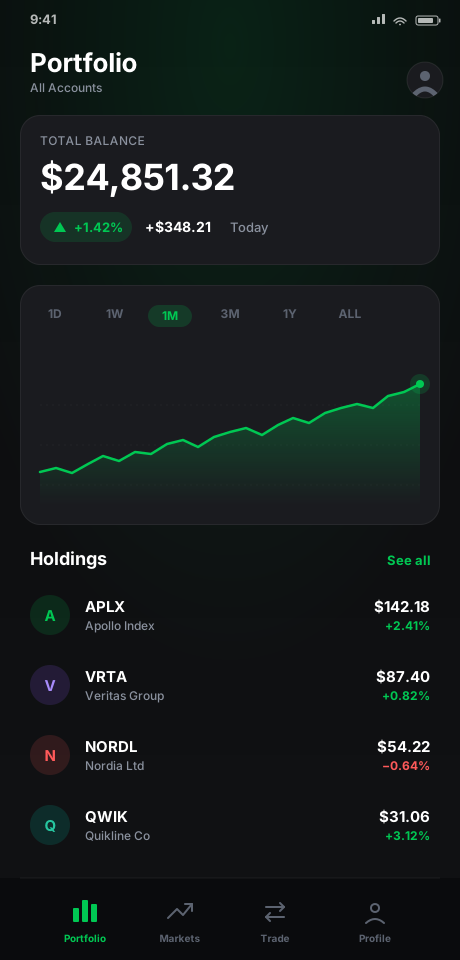
Built for Coursework, Clubs and a First Account
For college students and other adults learning to invest
Intro finance, economics and investments courses ask you to explain why a price moved or how a portfolio is put together. Placing the trades yourself, with virtual money and real prices, turns those readings into decisions you can check later. If paper trading is new to you, start there.
An investment club can give every member the same $1,000 start and compare picks week by week. Before opening a first brokerage account, you can rehearse buying by dollar amount or by share count and watch how a position behaves through an earnings season. And if an internship interview asks you to pitch a stock, you can talk about a position you actually held and tracked.
A Semester Practice Plan on the Free Plan
15 weeks, one portfolio, $1,000 in virtual money
Weeks 1–2: Learn the Mechanics
Open the app with $1,000 in virtual money. Work through a Learning Path and its quiz, and look up unfamiliar terms in the Glossary. Then place two small trades, one by dollar amount and one by share count (fractional shares work), and read both in your transaction history.
Weeks 3–6: Build a Thesis Portfolio
Pick three to five stocks or ETFs from different sectors and write one sentence on why you own each. Use Time Machine to back-date a buy by up to 30 days and compare it with buying today. Set Price Alerts, up to five, at the prices where you would rethink a position.
Weeks 7–11: Practice a Habit
Set up a Recurring Buy on one ETF and let it run while you hold the rest. Each week, check cost basis, P&L and allocation, and note in a journal what you changed and why.
Weeks 12–15: Review and Compare
Filter your history by buys and sells and mark which decisions held up. Share a performance card with your club or study group: it shows a portfolio's return over the period you pick, from one week to all time.
Premium ($1.99/month after a 7-day free trial) adds up to 7 portfolios to run strategies side by side, Strategy Comparison with overlay charts and a leaderboard of your own portfolios, Time Machine buys up to a year back, starting balances up to $10M, and dollar-cost-averaging vs. lump-sum insights. This plan needs none of it.
What It Doesn't Do
Know the limits before you plan a class or a club around it
There are no classroom or instructor tools: no class codes, no gradebook and no accounts, so an instructor cannot see or grade your portfolio in the app. If a course uses a platform your instructor sets up, use that one for graded work and CustomStocks for practice on your own phone.
There is no shared leaderboard either. Every portfolio lives on its owner's device, and the leaderboard in Strategy Comparison, a Premium feature, ranks only your own portfolios, by return, peak value, drawdown or number of trades. Clubs compare by sharing performance cards.
Trades are market-style: you buy or sell at the price shown, by dollar amount or share count, with no limit or stop orders (how those work at a broker). It is virtual money throughout, CustomStocks is not a broker, and nothing in the app or on this page is financial advice. Results from practice do not predict real returns.
What Stays on Your Phone
Your portfolios, trade history and settings are stored on your phone, and there is no account to create. The app does send anonymous usage analytics: a trade event names the stock and the side of the trade, and never how many shares, at what price, or what your portfolio is worth. The privacy policy lists every service involved.
Questions From Students
Before you build a semester around it
No. There are no class codes, no instructor dashboard and no accounts, and each portfolio lives on its owner's phone. For graded coursework on a platform your instructor sets up, use that platform; CustomStocks is for practicing on your own between classes.
Not inside the app. The leaderboard in Strategy Comparison, a Premium feature, ranks your own portfolios against each other. A club can still compare: give every member the same $1,000 start and have each one share a performance card, which shows a portfolio's return over a chosen period.
Trade 50+ stocks and ETFs with one portfolio and $1,000 in virtual money, by dollar amount or share count. Back-date a buy by up to 30 days with Time Machine, set up Recurring Buys, keep up to five Price Alerts, and work through Learning Paths with quizzes. Premium adds more portfolios, larger balances and Strategy Comparison for $1.99/month after a 7-day free trial.
The money is virtual and CustomStocks is not a broker, so nothing you do in the app reaches the market. Trades fill at the price shown, with no limit or stop orders, and practice results do not predict real returns. Use it to build habits and test your reasoning before any real money is involved; none of it is financial advice.
Start Your Semester Portfolio
Download CustomStocks free and practice with $1,000 in virtual money